Common questions
What is a CMS for a website? (And can I update it myself?)
What is a CMS for a website? A plain-English guide for small businesses: what you can update yourself, CMS vs website builder, and what to ask before you build.
Published
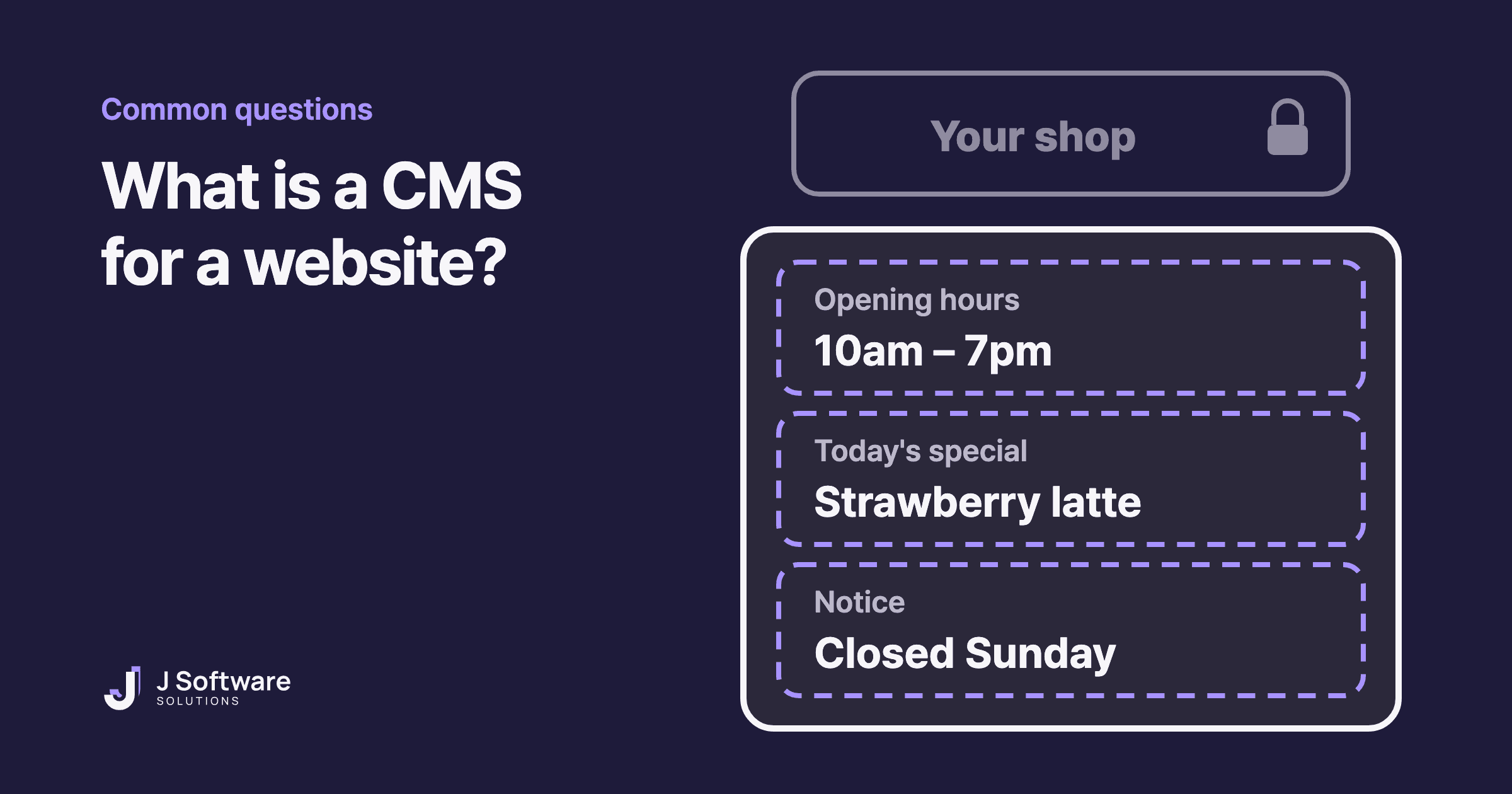
You want to change your opening hours on your website. Or add this week's special, or post a notice that you're closed for the public holiday. Do you have to email your developer every time, or can you update your own website?
That's what a CMS is for. This guide explains what a CMS is for a website, what you can usually change yourself, what you can't, and what to ask before your site is built.
The short answer
CMS stands for content management system. MDN describes it as software that lets people publish, organise, change or remove content: not only text, but images, video and more. For a small business, it's the admin screen where you log in and edit your website's words and photos yourself.
So yes, you can usually update your own website. But only the parts that were set up for you to edit when the site was built.
What can you change with a CMS?
Think of a café's chalkboard menu. The owner wipes it and rewrites today's specials whenever they like. The shop sign and the shopfront stay as they are.
- What you usually change: opening hours, menus and prices, notices, blog posts, photos, staff details. The chalkboard.
- What usually stays put: the design, the layout and how features work, like the booking form or online checkout. The sign and the shopfront.
Some tools let you change more than others. That's where the next question comes in.
Who decides what you can edit?
When a developer builds a site and connects a CMS, they decide which boxes (often called fields) you'll see. A schema describes the types of content and fields editors can work with, and the editing screen is built from it. If there's a field for opening hours, you change them yourself in a minute. If there isn't, the hours are part of the code, and changing them means asking a developer.
That's why the best time to sort this out is before the site is built. Adding a field later is possible, but it's another job for the developer.
CMS vs website builder
A website builder is a kind of CMS too. The Australian Government's business.gov.au splits them into two types:
- Cloud-based (a website builder): a paid subscription that usually includes hosting, design templates and extras like an online store. Most have a drag-and-drop editor, so you can change the layout as well as the words, within what that service offers. Our no-code guide covers what builders can and can't do.
- Self-hosted: an application installed on separate hosting. business.gov.au says it's more flexible and customisable, but takes more work to set up and maintain.
There's also a third way, and it's how we build: a developer builds the site and connects a CMS only for the parts that change. You get a simple editing screen with just the fields you need, and the design stays exactly as it was built.
How we split our own site
This blog runs on a CMS, because we add new posts regularly. The words on our homepage live in the code, because they rarely change. Same website, two approaches, decided by how often each part changes.
Do you need a CMS at all?
Not always. If your website's content hardly ever changes, you may not need one. A developer can make the occasional change for you.
If something changes often, like menus, specials, events or news, a CMS saves you waiting on someone else. Just remember it's one more login to look after. business.gov.au advises choosing a strong password and turning on two-factor authentication, whatever CMS you use.
Three questions to ask before your site is built
- Which parts can I change myself? Get a clear list: hours, menu, photos, blog, and so on.
- Can I see a change before it goes live? Find out how saving, previewing and publishing work.
- Can my staff edit it too? Ask whether each person can have their own login and level of access. Some CMSs, for example, have a role that can write posts but not publish them.
For anything you can't change yourself, make requests easy to act on: which page, what to change, and what it should say instead.
When to bring in a developer
A developer can work out which parts of your site change often and set those up as fields you can edit, while keeping the design and features safe from accidental changes. Then you're not waiting on anyone to update your hours, and you're not afraid of breaking something when you do.
Our honest take
A CMS is about who changes what, and how quickly. Before you build, list the things you'll want to change often. That list is the most useful thing you can bring to your first conversation with a developer.
Wondering what a website costs to build and run? Read what affects the cost of a small business website. Or see our websites and hosting and care services.