Common questions
What is website maintenance? What's included and what affects the cost
What is website maintenance? A plain-English guide to what's included, what affects the cost, what people miss, and the questions to ask before you sign.
Published
Your website or app is live. Then the quote mentions maintenance, or a developer asks whether you'd like a care plan. What does maintenance actually involve, and what should you check before you agree to it?
This guide explains website maintenance in plain English: what it is, the four kinds of work it covers, the things people often forget, and a checklist of questions to ask.
The short answer
Website maintenance is the work of looking after your website or app after it goes live. IEEE describes software maintenance as modifying software after delivery to correct defects, improve performance, adapt to environmental changes, or add new capabilities requested by users.
Think of a garden. Planting it is only the start. Without regular care, weeds come up and plants wilt. A website is the same: launch day is the beginning, not the end.
Why does a finished website need maintenance?
Even if nothing changes on your side, the world around your website keeps moving. Phones and browsers get new versions, and the services your site connects to change too. IEEE lists operating system upgrades and changes to external APIs (the connections to other services) as examples of environmental changes software has to keep up with.
Security matters too. The Australian Cyber Security Centre (ACSC) says cybercriminals exploit weaknesses in software, and updates contain fixes for those weaknesses. Its key actions for website owners include regularly backing up website data and keeping software, devices and plugins up to date.
What's included: the four kinds of maintenance
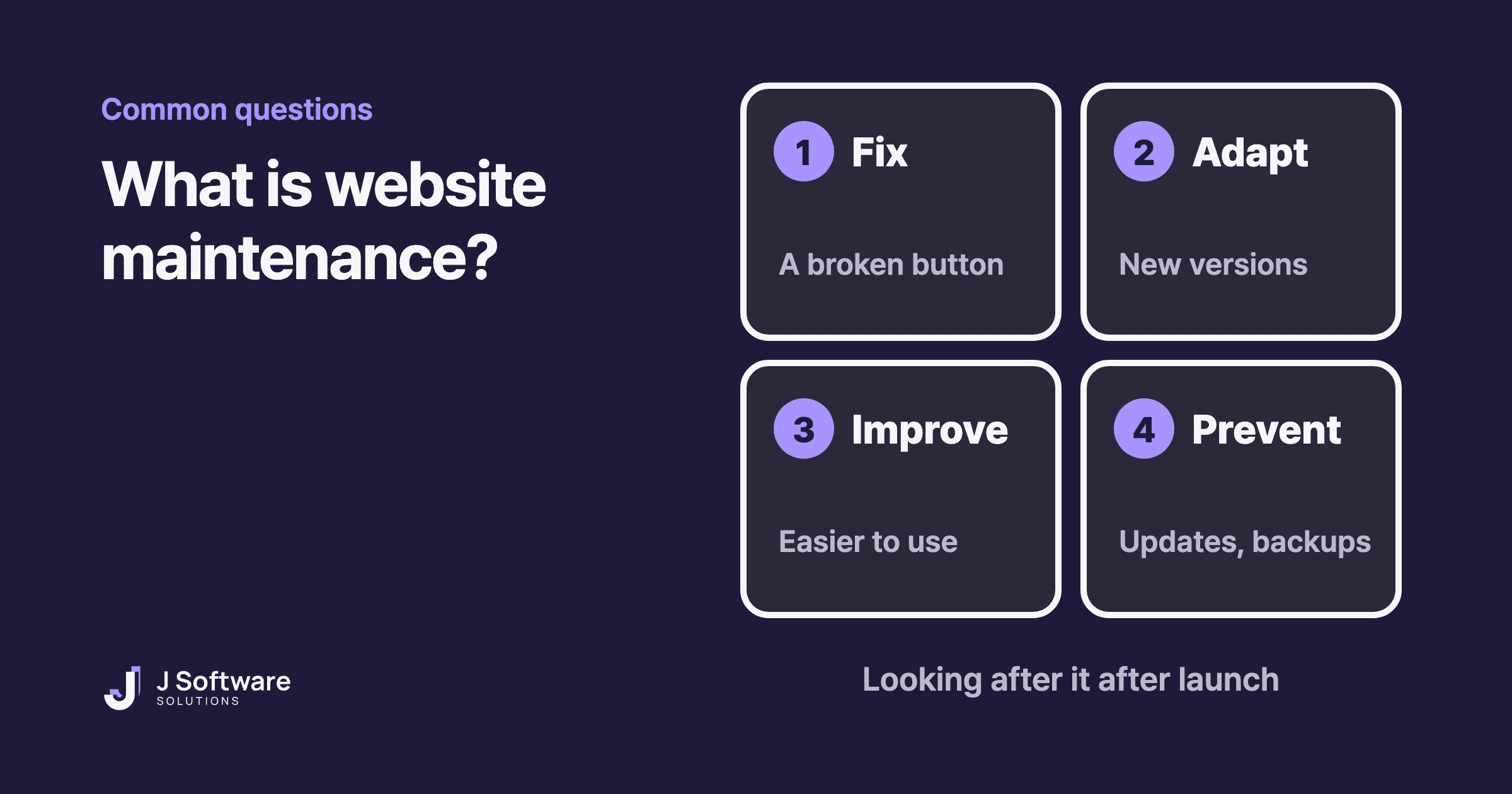
IEEE and ISO standards group software maintenance into four kinds. Here they are in plain English, with the garden version alongside:
- Fixing (corrective). Repairing faults found after launch, like a button that stops working. In the garden, that's tending a branch that's wilting.
- Adapting (adaptive). Keeping things working as the environment changes, like new phone and browser versions or a change to a payment or map service. In the garden, that's replanting when the season changes.
- Improving (perfective). Making things better than they were at launch, such as making a form easier to use or a page faster. In the garden, that's planting something new.
- Preventing (preventive). Finding and fixing problems before they cause failures. In the garden, that's pulling weeds before they spread.
Not every maintenance plan covers all four in the same way, and bigger changes such as a new page or feature may be quoted separately. That's why it's worth asking exactly what's included.
Things people often forget
Some parts of looking after a website are easy to miss because nothing looks broken until they go wrong:
- Backups. ACSC recommends regularly backing up the data you need to maintain your website, including all media and content, and turning on automatic backups if available. It also suggests checking whether your provider backs up data, how often, and where backups are stored.
- Domain renewal. ACSC advises renewing your domain before it expires, turning on auto-renewal or renewal notifications, and listing more than one person for those notices.
- Admin access. ACSC recommends limiting admin access to the people who need it, and reviewing access when staff change roles or leave.
- Keeping content current. business.gov.au says to maintain your website by making sure it always has the latest information about your business, products and services, and to keep monitoring how it performs against your goals.
What you can do yourself, and what to hand over
Some of this you can do yourself. If your website has a content management system, you can update opening hours, notices and photos without calling anyone. Our CMS guide explains how that works and why not everything can be changed that way.
Other work usually sits with whoever built or hosts the site: updating the software underneath, fixing faults, and adapting to new versions. If your website is self-hosted, business.gov.au notes you'll need to keep your CMS and other tools up to date with the latest security patches. If you use a cloud-based CMS, the provider should keep your website safe from cyber attacks.
If you have an app, there's more to keep up with, because phones keep getting new operating system versions. Our guide on whether your business needs an app covers that.
What affects the cost of website maintenance?
We don't list prices here, because they depend on the website and on what the plan covers. A monthly figure on its own doesn't tell you much. These are the things that change what you pay:
- What's included. Which of the four kinds of work the plan covers, and whether small edits are part of it. Business Queensland notes there's often a charge to have edits made after the website has gone live.
- How it's built. business.gov.au says self-hosted CMSs are more flexible than cloud-based ones but take more work to set up and maintain.
- How often things change. A site you update every week needs more help than one that rarely changes.
- What else is bundled in. Whether hosting, domain renewal and backups are part of the plan or paid separately.
When you compare quotes, compare what's included, not just the price. Our guide to what affects the cost of a small business website covers the build side.
A checklist to use before you sign
Ongoing maintenance is a cost to plan for, so it's worth knowing what you're getting before you start. Ask these questions and get the answers in writing:
- What's included? Which of the four kinds (fixing, adapting, improving, preventing) does the plan cover, and what is quoted separately?
- How are updates handled? Who updates the software and plugins, and how often?
- What happens when something breaks? Who do you contact, and how quickly can they respond?
- Where are the backups? How often are they made, where are they stored, and how is the site restored?
- Who looks after the domain and hosting? Whose account are they in, and when do they renew?
- What can you change yourself? And will someone show you how?
- How are small changes and new features handled? Which ones are part of the plan, and which ones need a quote?
Before launch, also make sure everything works as it should. Our QA testing guide explains how to check it like a customer would.
Our honest take
A website keeps working because someone keeps looking after it. The details vary a lot from one developer to another, so the most useful thing you can do is ask what's included and get the answer as a list.
For the record, here's how we do it: our monthly care includes small edits and looking after hosting, and new pages or features are quoted separately. That way you always know which is which.
Planning a new website? Start with a website brief, or see our hosting and care service.